Who it’s for
- People who implement GTM & GA4
- Who align the tracking plan with the business
- Who already work in AI tools
Founders on small teams · Agency-side implementers


Install JTracking Skills into your AI tool and go from website analysis to live GTM deployment — all in one continuous workflow.
Install this skill and run end-to-end tracking setup: https://github.com/jtrackingai/analytics-tracking-automation
Founders on small teams · Agency-side implementers
Especially when your website is the main sales channel.
JTracking Skills focus on web properties today.
Producing a solid tracking plan takes time — and gaps still slip through. You need speed without sacrificing completeness or GA4-ready structure.
Learning GTM properly takes longer than your roadmap allows. Hand-configuring tags or hiring freelancers adds cost and delay every time you ship.
Once tags are live, drift and misfires are easy to miss. Without regular checks, data quality erodes quietly — and campaigns suffer before you see it.
Pick a scenario that matches your job — each prompt is self-contained. Copy it into your AI tool with analytics-tracking-automation skill installed.
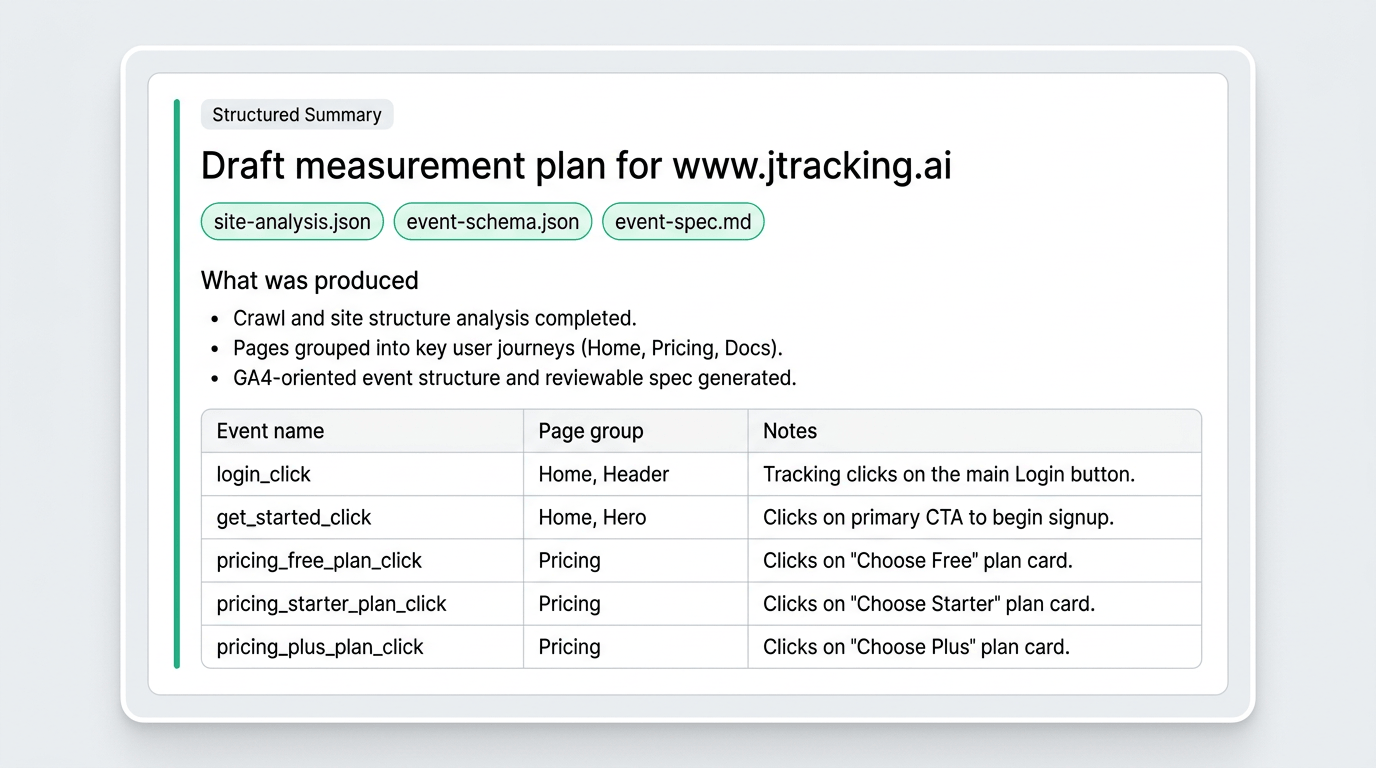
Analyze your site structure, group pages by business purpose, and produce a reviewable event spec — schema, naming, and artifacts you can hand off or iterate on.
Use analytics-tracking-automation skill to generate a measurement plan for <your-site-url>. Analyze the site, group pages by purpose, build the event schema, and output a reviewable event spec.
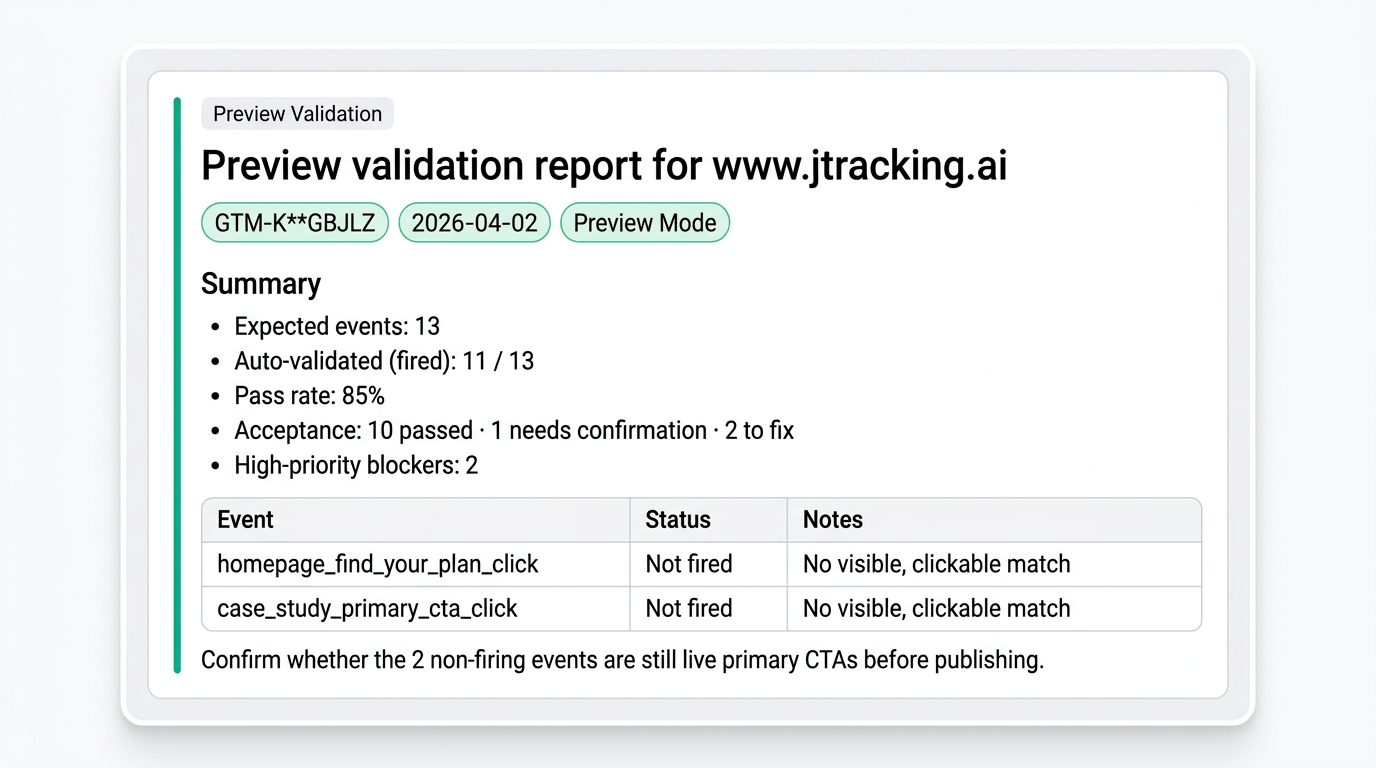
Sync configuration, open Preview Mode, and get a clear report: which events fired, which didn’t, and what to fix before you publish.
Use analytics-tracking-automation skill to validate tracking for <your-site-url> in GTM Preview Mode. Run GTM sync and Preview verification, then report which events fired and what still needs fixes before publish.
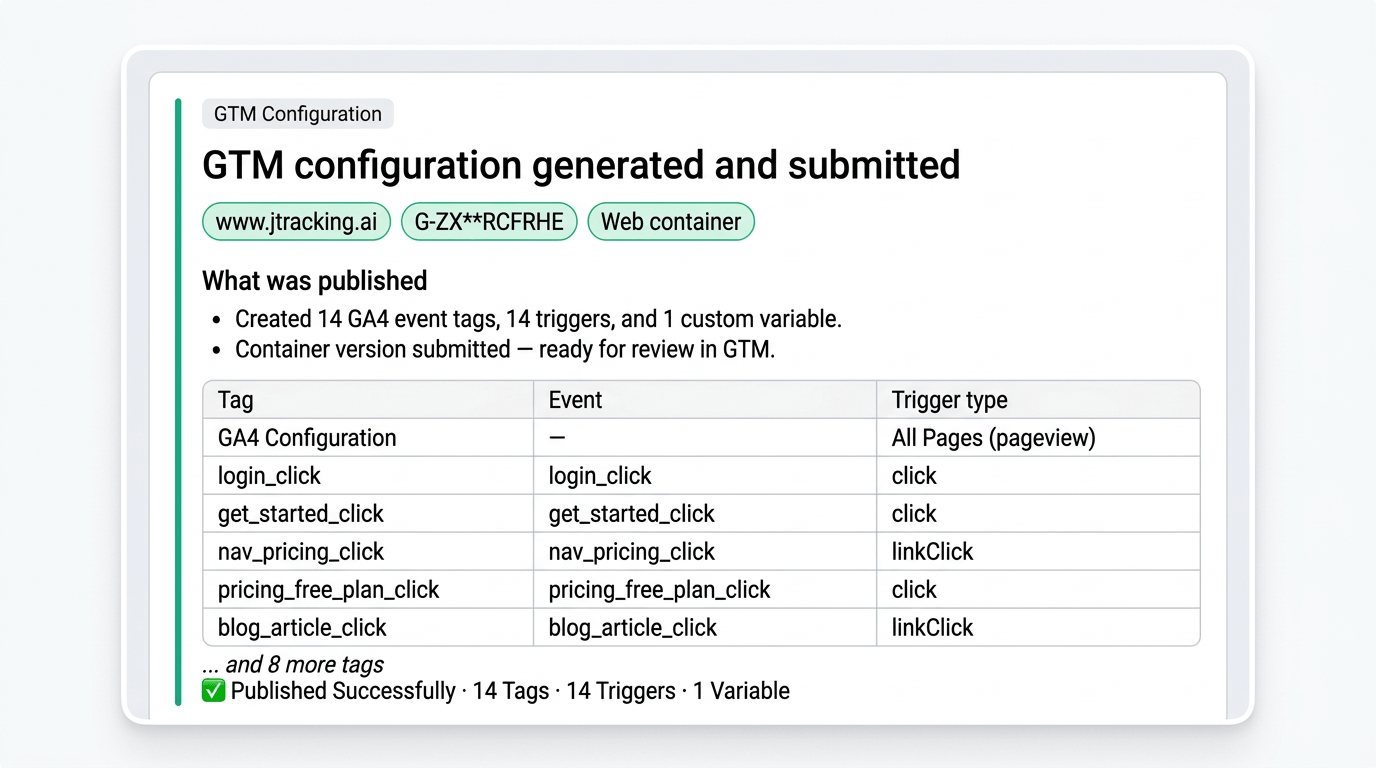
Turn the plan into GTM-ready tags, triggers, and variables, then submit updates so your container matches what you intend to measure.
Use analytics-tracking-automation skill to generate GTM configuration for <your-site-url> and submit the changes. Analyze the site, build the event schema, and produce production-ready tags, triggers, and variables.
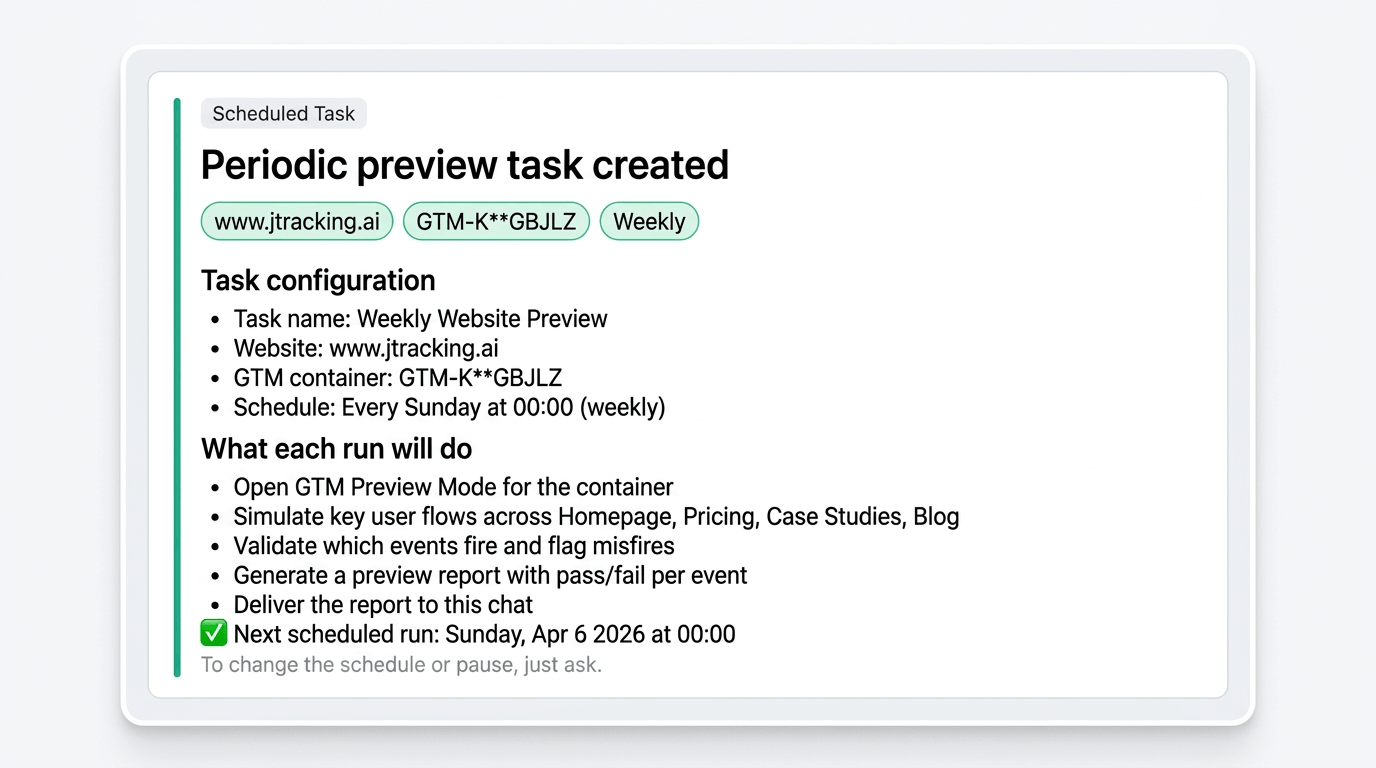
Run tracking checks on a recurring schedule and get a summary report — so drift and breakage surface without manual babysitting.
Schedule analytics-tracking-automation skill to test tracking for <your-site-url> every Monday at 7:00 and deliver a short report with pass/fail and what changed.

JTracking Skills help you complete the full tracking workflow — from tracking plan generation to GTM setup, testing, and publishing.
They are built for people who implement GTM and GA4, align on the tracking plan with the business, and use AI tools — including small-team founders and agency-side implementers. Typical sites include ecommerce, local services, SaaS, and client work where the website is the main sales channel.
No. It goes beyond planning — the Skill can generate GTM tags, run validation tests, and support publishing.
The Skill analyzes real website structure, page elements, and likely conversion actions to produce a foundational tracking plan based on what exists on the site.
Preview validates whether key tags actually fire as expected before publishing. It verifies real trigger behavior — not just that the configuration looks complete.
GA4 is supported today. Additional analytics and advertising platforms (e.g. Meta, TikTok, Segment) will be added over time.
Not entirely. JTracking Skills focus on foundational deployment and verification workflows. For ongoing management, broader channel support, and deeper tracking infrastructure, JTracking is the next step.
JTracking Skills focus on web properties today. There’s no fixed industry list — plan quality depends on the model and ongoing Skill updates. Teams that sell through their site (ecommerce, local services, SaaS, agencies) tend to get the most leverage.
Install this skill and run end-to-end tracking setup: https://github.com/jtrackingai/analytics-tracking-automation


